


Des résultats concrets pour les clients
Augmenter les profits et accroître les parts de marché, comme le font plus de 200 de nos clients internationaux.

Capturer les données de manière plus intelligente et évoluer plus rapidement grâce à l'IA
Qu'il s'agisse d'une solution d'entreprise unique ou d'une plateforme entièrement personnalisée, Anyline offre l'intelligence et l'évolutivité nécessaires pour transformer les opérations et stimuler la croissance.
Des entreprises du Fortune 500 et plus de 200 clients dans le monde entier lui font confiance

















Walk through a complete tire inspection with Anyline’s TireBuddy App: identify the vehicle, capture the tire sidewall data, measure the tread depth and generate the inspection report.
Before you start
Add the customer
Every inspection is tied to a customer, so the report carries their name. Shops that do not need this step can switch it off in the settings.
Identify the vehicle
License plate, VIN and odometer are scanned, not typed, which saves time and avoids errors on the report. Make, model, and year can be entered manually, and you decide in the settings which fields are required.
Choose a tire to inspect
The tire overview shows all four positions. Each tire is inspected in two steps: sidewall capture for the tire data, then tread depth measurement. Start with any tire.
Capture the tire sidewall
The technician aligns the tire in the overlay and holds the phone steady. On-screen feedback guides the distance and angle, and the capture happens automatically. No photo button, no retakes.
Tire details, filled in automatically
One capture of the sidewall gives you make, model, size, load and speed index, production date (DOT) and markings like 3PMSF or M+S. The technician only adds what the camera cannot see: damage, season and notes. Next step: tread depth.
Measure the tread depth
Align the tire shoulder with the overlay and tap the screen to start scanning. Move the phone slowly along the tread while the countdown runs.
Tread depth measured
The scan is processed in the background, so you can continue with the next tire right away. The result shows the depth of each tread groove.
All four tires inspected
Every tire is identified and measured. Finish the inspection to see the results for the whole vehicle and generate the report.
The tire inspection results
Each position shows the tread depth per groove on a color scale from good to worn, plus the identified tire data: production date (DOT), size, make and model. One screen to show the condition of all four tires.
Ready to try it yourself?
Book a call with our solution experts to see how TireBuddy fits into your shop. Or share this demo with your colleagues.
About this demo: This is a shortened walkthrough of the TireBuddy App. The vehicle details and the remaining tires are filled in automatically for demo purposes. In the real app, every tire is scanned.
Tap the wheel to start.
Tap “Continue”.
Tap the pulsing icon next to “License Plate”.
Tap the pulsing icon next to “VIN”.
VIN scanned.
Odometer, case ID and vehicle details are sample data for this demo, not read from the VIN. Tap “Continue”.
Wait while the license plate is scanned.
Wait while the VIN is scanned.
Tap the pulsing “LF” card to start with the left front tire.
Wait while the sidewall data is captured.
Tap “Measure tread” to continue.
Wait while the phone turns.
Tap anywhere on the screen.
Wait while the tread is scanned.
Wait a moment for the tread values.
Tap “Continue” to go on with the inspection.
The remaining tires are filled in with sample data for this demo.
Tap “Finish inspection” to see the results.
Tap “Download report” to open the PDF report.
Want to try TireBuddy yourself? Tap “Book a Call”.



Avec Anyline, nous ne nous contentons pas de suivre le mouvement, nous ouvrons la voie. Nous avons doté nos techniciens d'outils qui rendent les inspections plus intelligentes et notre service plus transparent et plus efficace que jamais.

Avec Anyline, nous ne nous contentons pas de suivre le mouvement, nous ouvrons la voie. Nous avons doté nos techniciens d'outils qui rendent les inspections plus intelligentes et notre service plus transparent et plus efficace que jamais.
Notre nouvelle solution d'inspection des pneus change la donne pour notre personnel et nous permettra de mieux garantir à nos clients que nous veillons à leur sécurité en leur offrant le meilleur service possible et les mesures les plus précises concernant leurs pneus.

Notre nouvelle solution d'inspection des pneus change la donne pour notre personnel et nous permettra de mieux garantir à nos clients que nous veillons à leur sécurité en leur offrant le meilleur service possible et les mesures les plus précises concernant leurs pneus.
Nous cherchons constamment à nous améliorer et à innover afin d'enrichir l'expérience client et de rationaliser les opérations de nos centres de service. La numérisation des informations relatives au numéro d'identification du véhicule (VIN) à l'aide des solutions de saisie de données mobiles Anylineen est un autre exemple.

Nous cherchons constamment à nous améliorer et à innover afin d'enrichir l'expérience client et de rationaliser les opérations de nos centres de service. La numérisation des informations relatives au numéro d'identification du véhicule (VIN) à l'aide des solutions de saisie de données mobiles Anylineen est un autre exemple.
L'intégration de la technologie de numérisation Anylinea considérablement amélioré l'efficacité et la précision de notre logiciel, ce qui permet à nos clients de gérer plus facilement leurs activités. En automatisant la collecte des données, nous aidons les garages automobiles à rationaliser leurs processus et à se concentrer sur la prestation d'un service exceptionnel.

L'intégration de la technologie de numérisation Anylinea considérablement amélioré l'efficacité et la précision de notre logiciel, ce qui permet à nos clients de gérer plus facilement leurs activités. En automatisant la collecte des données, nous aidons les garages automobiles à rationaliser leurs processus et à se concentrer sur la prestation d'un service exceptionnel.
« Grâce à la mise en place d'un système de numérisation des pneus en temps réel, nous avons amélioré la précision, la rapidité et la traçabilité de l'ensemble de nos opérations. Pour nos clients, cela se traduit par une meilleure visibilité, des rapports plus rapides et une confiance accrue dans l'intégrité de leurs stocks. »

« Grâce à la mise en place d'un système de numérisation des pneus en temps réel, nous avons amélioré la précision, la rapidité et la traçabilité de l'ensemble de nos opérations. Pour nos clients, cela se traduit par une meilleure visibilité, des rapports plus rapides et une confiance accrue dans l'intégrité de leurs stocks. »
Capture de données pour l'automobile et au-delà
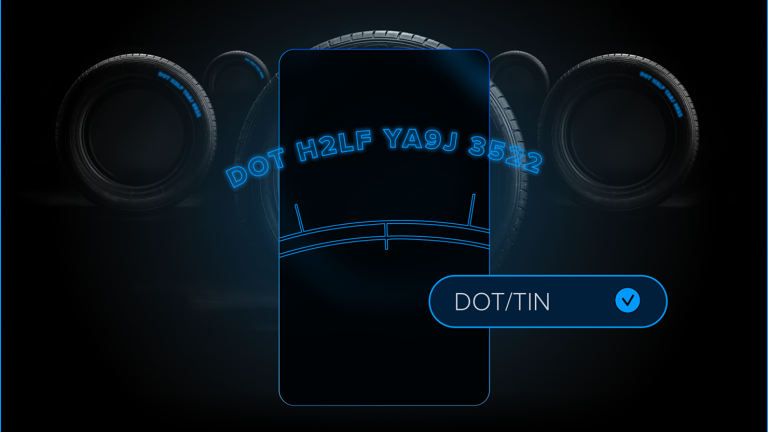
Numérisez rapidement et précisément l'identification des pneus à l'aide d'un smartphone.
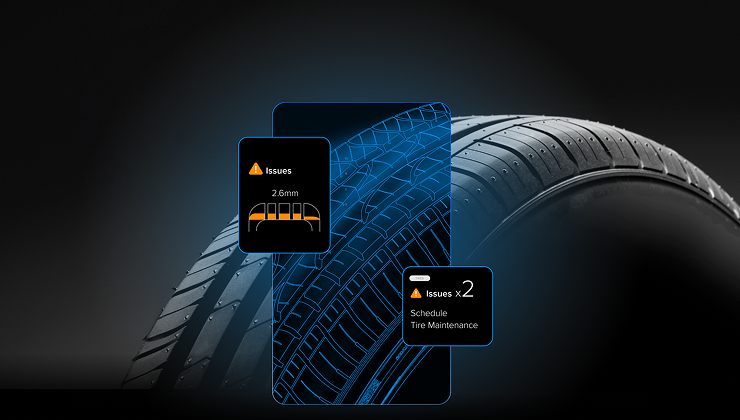
Mesurez la profondeur de la bande de roulement des pneus à l'échelle directement avec un mobile.
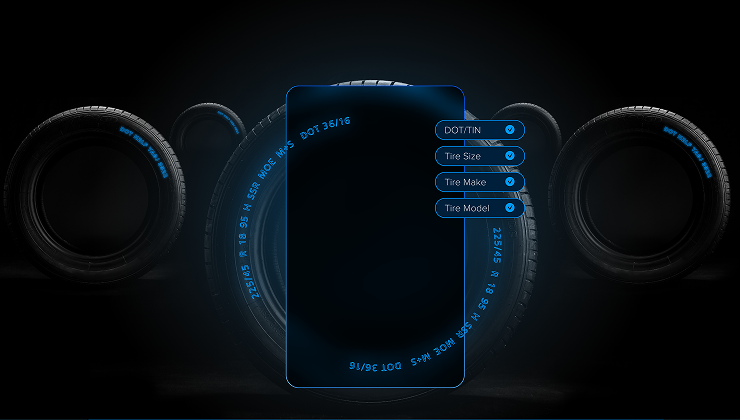
La sécurité des pneus se fait de manière simple et rapide, à l'aide de votre téléphone portable.
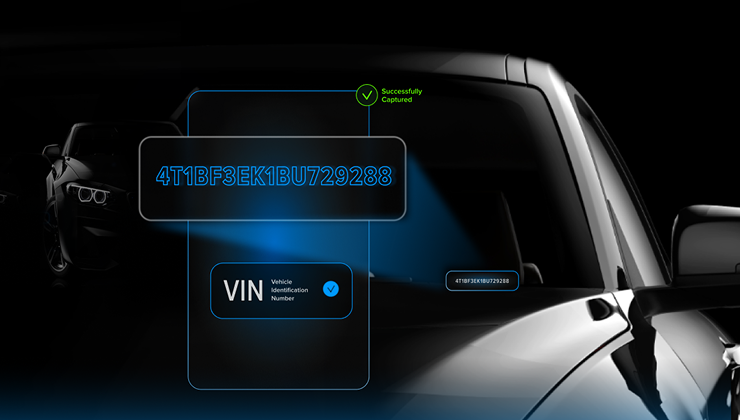
Identifiez les véhicules en quelques secondes pour réduire les erreurs et accélérer les opérations.

Capturez instantanément les données des plaques d'immatriculation grâce à la reconnaissance mobile.
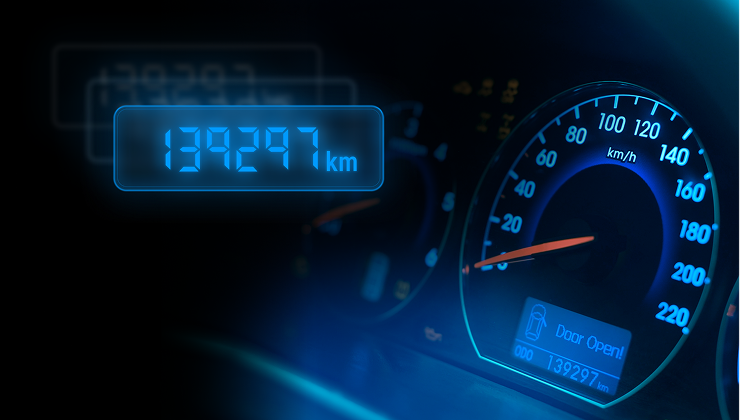
Extrayez instantanément les valeurs de kilométrage des tableaux de bord des véhicules via votre mobile.