



Resultados de clientes reales
Aumentar los beneficios y aumentar la cuota de mercado, al igual que más de 200 de nuestros clientes en todo el mundo.

Captura de datos más inteligente y escala más rápida con IA
Desde una solución empresarial única hasta una plataforma totalmente personalizada, Anyline ofrece la inteligencia y la escalabilidad necesarias para transformar las operaciones e impulsar el crecimiento.
Con la confianza de empresas de la lista Fortune 500 y más de 200 clientes en todo el mundo

















Walk through a complete tire inspection with Anyline’s TireBuddy App: identify the vehicle, capture the tire sidewall data, measure the tread depth and generate the inspection report.
Before you start
Add the customer
Every inspection is tied to a customer, so the report carries their name. Shops that do not need this step can switch it off in the settings.
Identify the vehicle
License plate, VIN and odometer are scanned, not typed, which saves time and avoids errors on the report. Make, model, and year can be entered manually, and you decide in the settings which fields are required.
Choose a tire to inspect
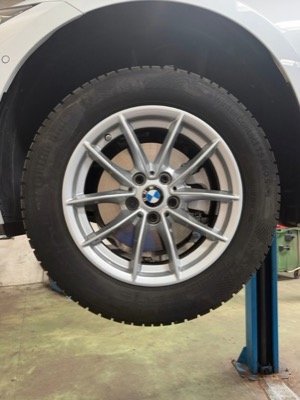
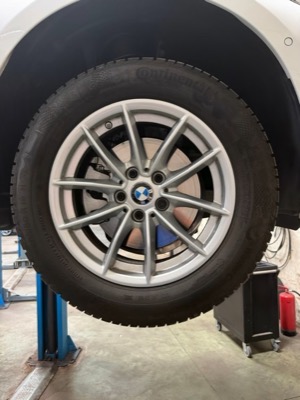
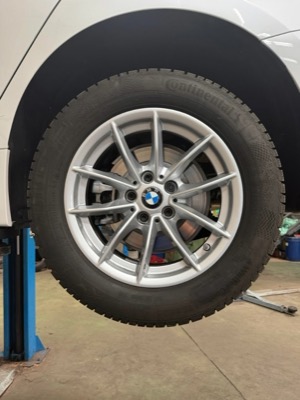
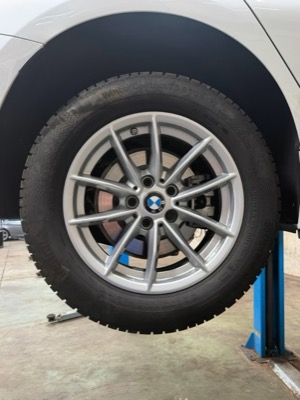
The tire overview shows all four positions. Each tire is inspected in two steps: sidewall capture for the tire data, then tread depth measurement. Start with any tire.
Capture the tire sidewall
The technician aligns the tire in the overlay and holds the phone steady. On-screen feedback guides the distance and angle, and the capture happens automatically. No photo button, no retakes.
Tire details, filled in automatically
One capture of the sidewall gives you make, model, size, load and speed index, production date (DOT) and markings like 3PMSF or M+S. The technician only adds what the camera cannot see: damage, season and notes. Next step: tread depth.
Measure the tread depth
Align the tire shoulder with the overlay and tap the screen to start scanning. Move the phone slowly along the tread while the countdown runs.
Tread depth measured
The scan is processed in the background, so you can continue with the next tire right away. The result shows the depth of each tread groove.
All four tires inspected
Every tire is identified and measured. Finish the inspection to see the results for the whole vehicle and generate the report.
The tire inspection results
Each position shows the tread depth per groove on a color scale from good to worn, plus the identified tire data: production date (DOT), size, make and model. One screen to show the condition of all four tires.
Ready to try it yourself?
Book a call with our solution experts to see how TireBuddy fits into your shop. Or share this demo with your colleagues.
About this demo: This is a shortened walkthrough of the TireBuddy App. The vehicle details and the remaining tires are filled in automatically for demo purposes. In the real app, every tire is scanned.
Tap the wheel to start.
Tap “Continue”.
Tap the pulsing icon next to “License Plate”.
Tap the pulsing icon next to “VIN”.
VIN scanned.
Odometer, case ID and vehicle details are sample data for this demo, not read from the VIN. Tap “Continue”.
Wait while the license plate is scanned.
Wait while the VIN is scanned.
Tap the pulsing “LF” card to start with the left front tire.
Wait while the sidewall data is captured.
Tap “Measure tread” to continue.
Wait while the phone turns.
Tap anywhere on the screen.
Wait while the tread is scanned.
Wait a moment for the tread values.
Tap “Continue” to go on with the inspection.
The remaining tires are filled in with sample data for this demo.
Tap “Finish inspection” to see the results.
Tap “Download report” to open the PDF report.
Want to try TireBuddy yourself? Tap “Book a Call”.



Con Anyline, no solo nos mantenemos al día, sino que marcamos el camino. Hemos dotado a nuestros técnicos de herramientas que hacen que las inspecciones sean más inteligentes y que nuestro servicio sea más transparente y eficiente que nunca.

Con Anyline, no solo nos mantenemos al día, sino que marcamos el camino. Hemos dotado a nuestros técnicos de herramientas que hacen que las inspecciones sean más inteligentes y que nuestro servicio sea más transparente y eficiente que nunca.
Nuestra nueva solución de inspección de neumáticos supone un gran avance para nuestro personal y nos ayudará a reforzar la garantía que ofrecemos a nuestros clientes de que velamos por su seguridad, proporcionándoles el mejor servicio posible y las lecturas de neumáticos más precisas.

Nuestra nueva solución de inspección de neumáticos supone un gran avance para nuestro personal y nos ayudará a reforzar la garantía que ofrecemos a nuestros clientes de que velamos por su seguridad, proporcionándoles el mejor servicio posible y las lecturas de neumáticos más precisas.
Siempre buscamos mejorar e innovar para optimizar la experiencia de los clientes y agilizar las operaciones de los centros de servicio. Otro ejemplo de ello es cómo estamos digitalizando la información del número de identificación del vehículo (VIN) con las soluciones de captura de datos móviles Anyline.

Siempre buscamos mejorar e innovar para optimizar la experiencia de los clientes y agilizar las operaciones de los centros de servicio. Otro ejemplo de ello es cómo estamos digitalizando la información del número de identificación del vehículo (VIN) con las soluciones de captura de datos móviles Anyline.
La integración de la tecnología de escaneo Anylineha mejorado considerablemente la eficiencia y la precisión de nuestro software, lo que facilita a nuestros clientes la gestión de sus operaciones. Al automatizar la recopilación de datos, ayudamos a los talleres de reparación de automóviles a optimizar sus procesos y a centrarse en ofrecer un servicio excepcional.

La integración de la tecnología de escaneo Anylineha mejorado considerablemente la eficiencia y la precisión de nuestro software, lo que facilita a nuestros clientes la gestión de sus operaciones. Al automatizar la recopilación de datos, ayudamos a los talleres de reparación de automóviles a optimizar sus procesos y a centrarse en ofrecer un servicio excepcional.
«Con la implantación del escaneo de neumáticos en tiempo real, hemos mejorado la precisión, la rapidez y la trazabilidad en todas nuestras operaciones. Para nuestros clientes, esto se traduce en una mayor visibilidad, una generación más rápida de informes y una mayor confianza en la integridad de sus existencias».

«Con la implantación del escaneo de neumáticos en tiempo real, hemos mejorado la precisión, la rapidez y la trazabilidad en todas nuestras operaciones. Para nuestros clientes, esto se traduce en una mayor visibilidad, una generación más rápida de informes y una mayor confianza en la integridad de sus existencias».
Captura de datos para la automoción y más allá

Digitalice la identificación de los neumáticos de forma rápida y precisa con un smartphone.

Mida la profundidad del dibujo de los neumáticos directamente con un móvil.

La seguridad de los neumáticos hecha de forma rápida y sencilla, utilizando su teléfono móvil.

Identifique vehículos en segundos para reducir errores y acelerar las operaciones.

Captura datos de matrículas al instante mediante el reconocimiento basado en dispositivos móviles.

Extraiga al instante los valores de kilometraje de los salpicaderos de los vehículos a través del móvil.


