


Echte Kundenergebnisse
Steigern Sie Ihren Gewinn und vergrößern Sie Ihren Marktanteil, genau wie unsere über 200 Kunden weltweit.

Intelligentere Datenerfassung und schnellere Skalierung mit KI
Von einer einzelnen Unternehmenslösung bis hin zu einer vollständig angepassten Plattform bietet Anyline die Intelligenz und Skalierbarkeit, um Abläufe zu verändern und das Wachstum zu fördern.
Vertrauen von Fortune 500-Unternehmen und mehr als 200 globalen Kunden

















Walk through a complete tire inspection with Anyline’s TireBuddy App: identify the vehicle, capture the tire sidewall data, measure the tread depth and generate the inspection report.
Before you start
Add the customer
Every inspection is tied to a customer, so the report carries their name. Shops that do not need this step can switch it off in the settings.
Identify the vehicle
License plate, VIN and odometer are scanned, not typed, which saves time and avoids errors on the report. Make, model, and year can be entered manually, and you decide in the settings which fields are required.
Choose a tire to inspect
The tire overview shows all four positions. Each tire is inspected in two steps: sidewall capture for the tire data, then tread depth measurement. Start with any tire.
Capture the tire sidewall
The technician aligns the tire in the overlay and holds the phone steady. On-screen feedback guides the distance and angle, and the capture happens automatically. No photo button, no retakes.
Tire details, filled in automatically
One capture of the sidewall gives you make, model, size, load and speed index, production date (DOT) and markings like 3PMSF or M+S. The technician only adds what the camera cannot see: damage, season and notes. Next step: tread depth.
Measure the tread depth
Align the tire shoulder with the overlay and tap the screen to start scanning. Move the phone slowly along the tread while the countdown runs.
Tread depth measured
The scan is processed in the background, so you can continue with the next tire right away. The result shows the depth of each tread groove.
All four tires inspected
Every tire is identified and measured. Finish the inspection to see the results for the whole vehicle and generate the report.
The tire inspection results
Each position shows the tread depth per groove on a color scale from good to worn, plus the identified tire data: production date (DOT), size, make and model. One screen to show the condition of all four tires.
Ready to try it yourself?
Book a call with our solution experts to see how TireBuddy fits into your shop. Or share this demo with your colleagues.
About this demo: This is a shortened walkthrough of the TireBuddy App. The vehicle details and the remaining tires are filled in automatically for demo purposes. In the real app, every tire is scanned.
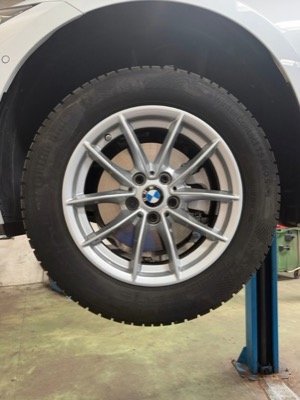
Tap the wheel to start.
Tap “Continue”.
Tap the pulsing icon next to “License Plate”.
Tap the pulsing icon next to “VIN”.
VIN scanned.
Odometer, case ID and vehicle details are sample data for this demo, not read from the VIN. Tap “Continue”.
Wait while the license plate is scanned.
Wait while the VIN is scanned.
Tap the pulsing “LF” card to start with the left front tire.
Wait while the sidewall data is captured.
Tap “Measure tread” to continue.
Wait while the phone turns.
Tap anywhere on the screen.
Wait while the tread is scanned.
Wait a moment for the tread values.
Tap “Continue” to go on with the inspection.
The remaining tires are filled in with sample data for this demo.
Tap “Finish inspection” to see the results.
Tap “Download report” to open the PDF report.
Want to try TireBuddy yourself? Tap “Book a Call”.



Mit Anyline halten wir nicht nur Schritt, sondern geben die Richtung vor. Wir haben unseren Technikern Werkzeuge an die Hand gegeben, die Inspektionen intelligenter und unseren Service transparenter und effizienter denn je machen.

Mit Anyline halten wir nicht nur Schritt, sondern geben die Richtung vor. Wir haben unseren Technikern Werkzeuge an die Hand gegeben, die Inspektionen intelligenter und unseren Service transparenter und effizienter denn je machen.
Unsere neue Lösung zur Reifenprüfung stellt für unsere Mitarbeiter eine bahnbrechende Neuerung dar und wird dazu beitragen, unseren Kunden noch deutlicher zu vermitteln, dass wir uns um ihre Sicherheit kümmern, indem wir den bestmöglichen Service und äußerst präzise Reifenmesswerte bieten.

Unsere neue Lösung zur Reifenprüfung stellt für unsere Mitarbeiter eine bahnbrechende Neuerung dar und wird dazu beitragen, unseren Kunden noch deutlicher zu vermitteln, dass wir uns um ihre Sicherheit kümmern, indem wir den bestmöglichen Service und äußerst präzise Reifenmesswerte bieten.
Wir sind stets bestrebt, uns weiterzuentwickeln und innovativ zu sein, um das Kundenerlebnis zu verbessern und die Abläufe in unseren Servicezentren zu optimieren. Ein weiteres Beispiel hierfür ist die Digitalisierung von Fahrgestellnummern mithilfe der mobilen Datenerfassungslösungen Anyline.

Wir sind stets bestrebt, uns weiterzuentwickeln und innovativ zu sein, um das Kundenerlebnis zu verbessern und die Abläufe in unseren Servicezentren zu optimieren. Ein weiteres Beispiel hierfür ist die Digitalisierung von Fahrgestellnummern mithilfe der mobilen Datenerfassungslösungen Anyline.
Die Integration der Scan-Technologie Anylinehat die Effizienz und Genauigkeit unserer Software erheblich verbessert und erleichtert unseren Kunden die Verwaltung ihrer Abläufe. Durch die Automatisierung der Datenerfassung helfen wir Autowerkstätten dabei, ihre Prozesse zu optimieren und sich auf die Bereitstellung eines erstklassigen Service zu konzentrieren.

Die Integration der Scan-Technologie Anylinehat die Effizienz und Genauigkeit unserer Software erheblich verbessert und erleichtert unseren Kunden die Verwaltung ihrer Abläufe. Durch die Automatisierung der Datenerfassung helfen wir Autowerkstätten dabei, ihre Prozesse zu optimieren und sich auf die Bereitstellung eines erstklassigen Service zu konzentrieren.
„Durch die Einführung der Echtzeit-Reifenscanner haben wir die Genauigkeit, Geschwindigkeit und Rückverfolgbarkeit in unseren gesamten Betriebsabläufen verbessert. Für unsere Kunden bedeutet dies mehr Transparenz, eine schnellere Berichterstattung und größeres Vertrauen in die Integrität ihrer Bestände.“

„Durch die Einführung der Echtzeit-Reifenscanner haben wir die Genauigkeit, Geschwindigkeit und Rückverfolgbarkeit in unseren gesamten Betriebsabläufen verbessert. Für unsere Kunden bedeutet dies mehr Transparenz, eine schnellere Berichterstattung und größeres Vertrauen in die Integrität ihrer Bestände.“
Datenerfassung für die Automobilindustrie und darüber hinaus
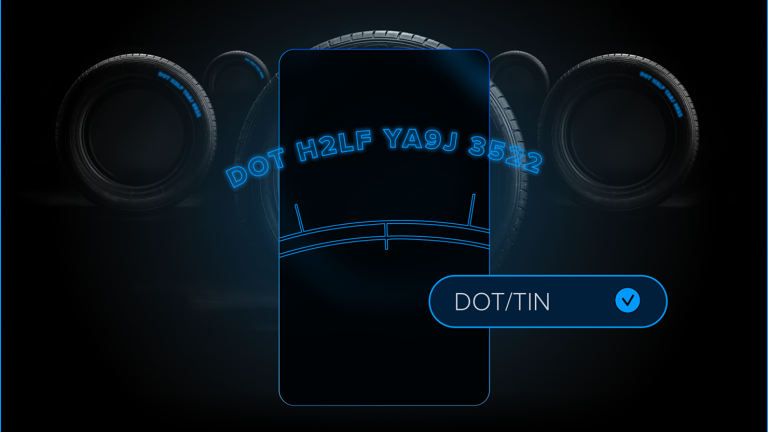
Digitalisieren Sie die Reifenidentifikation schnell und präzise mit einem Smartphone.
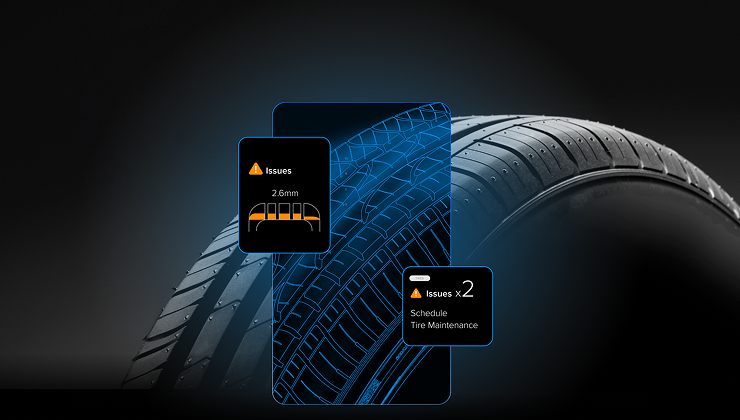
Messen Sie die Profiltiefe direkt mit einem Mobiltelefon auf einer Skala.
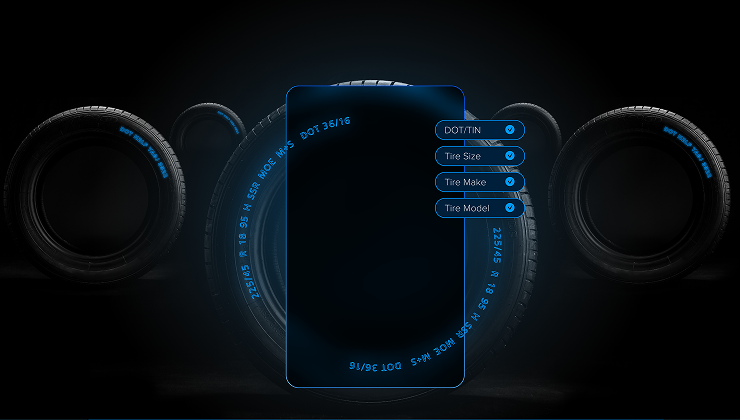
Reifensicherheit auf schnelle und einfache Weise mit Ihrem Mobiltelefon.
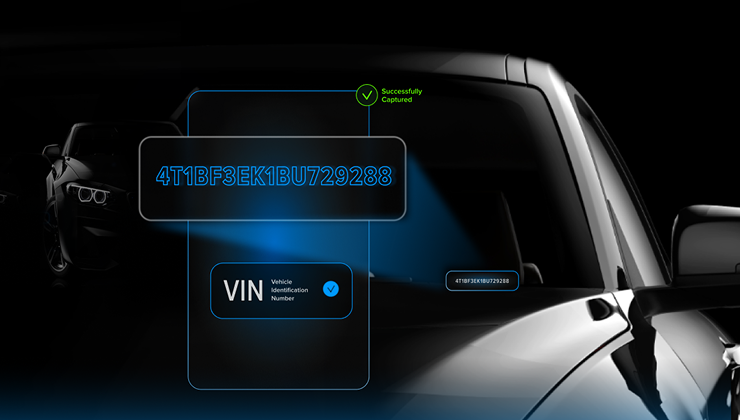
Identifizieren Sie Fahrzeuge in Sekundenschnelle, um Fehler zu reduzieren und Abläufe zu beschleunigen.

Erfassen Sie Kennzeichendaten sofort mithilfe mobiler Erkennung.
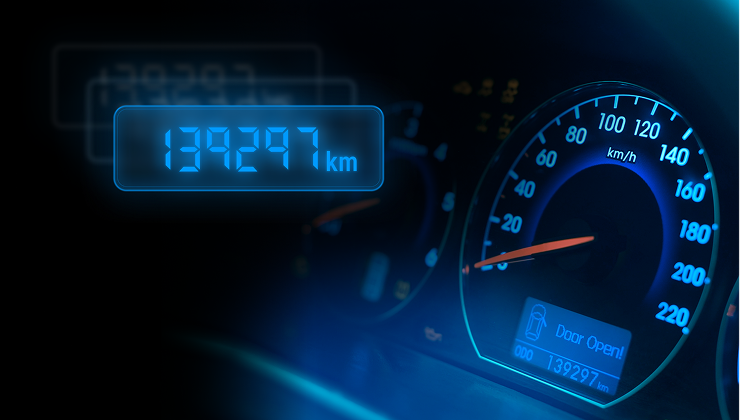
Extrahieren Sie Kilometerstände sofort über Ihr Mobiltelefon aus dem Armaturenbrett Ihres Fahrzeugs.