Watch how Anyline’s end-to-end vehicle and tire identification & inspection workflow plays out.
TireBuddy App
Powered by AI
The ready-to-use mobile app for digital tire inspections. Powered by AI. Ready to use in minutes.
Anyline is trusted by























Anyline is trusted by



















Digital tire inspections on mobile, with zero setup
The TireBuddy App gives tire shops, service centers, and repair technicians an out-of-the-box mobile solution for fast, accurate tire inspections, including tread depth measurement, tire sidewall data capture, and automated reporting.

Digital tire inspections on mobile, with zero setup
The TireBuddy App gives tire shops, service centers, and repair technicians an out-of-the-box mobile solution for fast, accurate tire inspections, including tread depth measurement, tire sidewall data capture, and automated reporting.
Accurate tire inspections, no extra tools required

Powered by Anyline’s automotive-grade AI, the TireBuddy app guides technicians through a consistent step-by-step workflow to inspect tires digitally. All with nothing more than a mobile device.
Deploy in minutes. No development required

Start using TireBuddy immediately. No integration, no coding, no configuration.
Just download the iOS or Android app, onboard your team, and begin running digital tire inspections the same day.
Built for real-world conditions

Powered by Anyline’s automotive-grade AI, the TireBuddy app is optimized for speed, accuracy, and on-device processing, ensuring reliable performance in any workshop.
Instant inspection reports

Automatically generate clear, shareable inspection reports that your team can save, export, or send to customers.
Improve efficiency in every shop

Roll out a consistent, standardized tire inspection workflow across every shop, dealer, or service location, no matter the region or team size.
Digital Tire Inspection with TireBuddy
Walk through a complete tire inspection with Anyline’s TireBuddy App: identify the vehicle, capture the tire sidewall data, measure the tread depth and generate the inspection report.
Before you start
- It is interactive Tap the wheel to start the inspection.
- Scans are simulated No camera needed, runs on sample data.
- Start over anytime Refresh the page to start again.
Add the customer
Every inspection is tied to a customer, so the report carries their name. Shops that do not need this step can switch it off in the settings.
Identify the vehicle
License plate, VIN and odometer are scanned, not typed, which saves time and avoids errors on the report. Make, model, and year can be entered manually, and you decide in the settings which fields are required.
Choose a tire to inspect
The tire overview shows all four positions. Each tire is inspected in two steps: sidewall capture for the tire data, then tread depth measurement. Start with any tire.
Capture the tire sidewall
The technician aligns the tire in the overlay and holds the phone steady. On-screen feedback guides the distance and angle, and the capture happens automatically. No photo button, no retakes.
Tire details, filled in automatically
One capture of the sidewall gives you make, model, size, load and speed index, production date (DOT) and markings like 3PMSF or M+S. The technician only adds what the camera cannot see: damage, season and notes. Next step: tread depth.
Measure the tread depth
Align the tire shoulder with the overlay and tap the screen to start scanning. Move the phone slowly along the tread while the countdown runs.
Tread depth measured
The scan is processed in the background, so you can continue with the next tire right away. The result shows the depth of each tread groove.
All four tires inspected
Every tire is identified and measured. Finish the inspection to see the results for the whole vehicle and generate the report.
The tire inspection results
Each position shows the tread depth per groove on a color scale from good to worn, plus the identified tire data: production date (DOT), size, make and model. One screen to show the condition of all four tires.
Ready to try it yourself?
Book a call with our solution experts to see how TireBuddy fits into your shop. Or share this demo with your colleagues.
About this demo: This is a shortened walkthrough of the TireBuddy App. The vehicle details and the remaining tires are filled in automatically for demo purposes. In the real app, every tire is scanned.
Tap the wheel to start.
Tap “Continue”.
Tap the pulsing icon next to “License Plate”.
Tap the pulsing icon next to “VIN”.
VIN scanned.
Odometer, case ID and vehicle details are sample data for this demo, not read from the VIN. Tap “Continue”.
Wait while the license plate is scanned.
Wait while the VIN is scanned.
Tap the pulsing “LF” card to start with the left front tire.
Wait while the sidewall data is captured.
Tap “Measure tread” to continue.
Wait while the phone turns.
Tap anywhere on the screen.
Wait while the tread is scanned.
Wait a moment for the tread values.
Tap “Continue” to go on with the inspection.
The remaining tires are filled in with sample data for this demo.
Tap “Finish inspection” to see the results.
Tap “Download report” to open the PDF report.
Want to try TireBuddy yourself? Tap “Book a Call”.



Digital Tire Inspection
ANY L1NE
WVWZZZ1KZDW**13*3
0/500


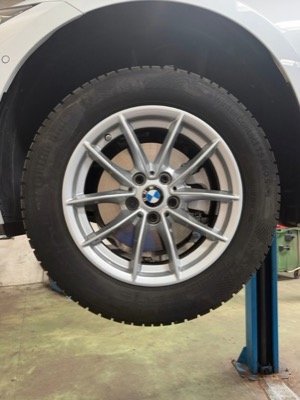
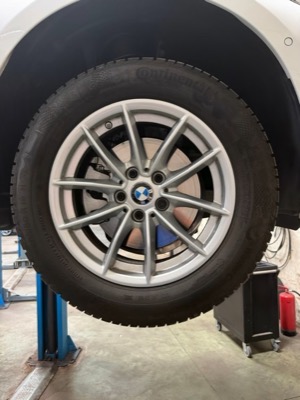
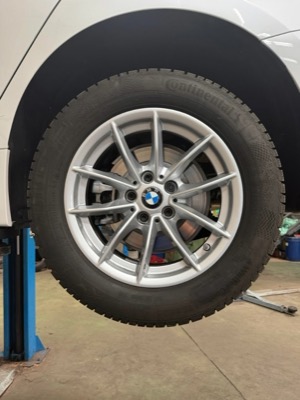
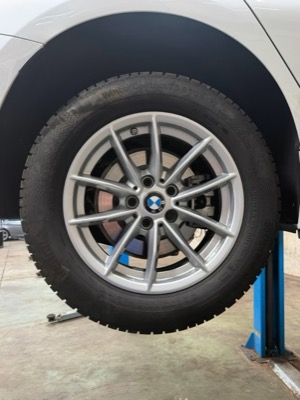
Almost done!
Your tire scan is almost complete.
Step 1/2 completed
Tire Identification
Repeat full capture
Continental
WINTERCONTACT TS 860 S
2025/09
![]()

Width205
Ratio60
Constr.R
Rim16
Load96
SpeedH
Runflat
✓ Extra load
✓ 3PMSF
✓ M+S
UnknownAll SeasonSummerWinter
No damage
No damage
Tire Identification
Repeat full capture
Continental
WINTERCONTACT TS 860 S
2025/09
![]()
Width205
Ratio60
Constr.R
Rim16
Load96
SpeedH
Runflat
✓ Extra load
✓ 3PMSF
✓ M+S
UnknownAll SeasonSummerWinter
No damage
No damage
Tire Identification
Repeat full capture
Continental
WINTERCONTACT TS 860 S
2025/09
![]()
Width205
Ratio60
Constr.R
Rim16
Load96
SpeedH
Runflat
✓ Extra load
✓ 3PMSF
✓ M+S
UnknownAll SeasonSummerWinter
No damage
No damage
Tire Identification
Repeat full capture
Continental
WINTERCONTACT TS 860 S
2025/09
![]()
Width205
Ratio60
Constr.R
Rim16
Load96
SpeedH
Runflat
✓ Extra load
✓ 3PMSF
✓ M+S
UnknownAll SeasonSummerWinter
No damage
No damage
Tire Tread
Scan again
Processing…
7.0
6.3
6.5
7.4
6.5
7.5
6.7
7.0
6.7
6.8
6.8
6.6
Input here
0/500
Rotate your device horizontally
Make sure your device’s auto-rotate feature is enabled.
Uploading
LF
Tread Measurement
7.0 | 6.3 | 6.5
mm
Not measured
Tire Identification
Not inspected
2025/09
205/60 R 16 96H XL
Continental
WinterContact TS 860 S
205/60 R 16 96H XL
Continental
WinterContact TS 860 S
RF
Tread Measurement
7.4 | 6.5 | 7.5
mm
Not measured
Tire Identification
Not inspected
2025/09
205/60 R 16 96H XL
Continental
WinterContact TS 860 S 2025/09
205/60 R 16 96H XL
Continental
WinterContact TS 860 S
205/60 R 16 96H XL
Continental
WinterContact TS 860 S 2025/09
205/60 R 16 96H XL
Continental
WinterContact TS 860 S
LR
Tread Measurement
6.7 | 7.0 | 6.7
mm
Not measured
Tire Identification
Not inspected
2025/09
205/60 R 16 96H XL
Continental
WinterContact TS 860 S 2025/09
205/60 R 16 96H XL
Continental
WinterContact TS 860 S
205/60 R 16 96H XL
Continental
WinterContact TS 860 S 2025/09
205/60 R 16 96H XL
Continental
WinterContact TS 860 S
RR
Tread Measurement
6.8 | 6.8 | 6.6
mm
Not measured
Tire Identification
Not inspected
2025/09
205/60 R 16 96H XL
Continental
WinterContact TS 860 S 2025/09
205/60 R 16 96H XL
Continental
WinterContact TS 860 S
205/60 R 16 96H XL
Continental
WinterContact TS 860 S 2025/09
205/60 R 16 96H XL
Continental
WinterContact TS 860 S

How TireBuddy benefits your business
Powered by AI, TireBuddy streamlines inspections, builds trust, and boosts sales—no guesswork or expensive devices needed.

Tire Sidewall Scanning
Instantly identify and automatically capture tire information with a mobile device.

Tire Tread Inspection
Ditch the gauge for guided, consistent inspections—every time, across locations.

VIN Scanning
Manage large fleets & fast customer check-ins with VIN scanning.

License Plate Identification
Instantly scan license plates for fast vehicle identification and traceability.

Customer Reports
No second opinions, just clear reports and confident client approvals.

Driver Identification
Boost customer experience with fast driver’s license scanning.
TireBuddy App vs. TireBuddy Toolkit
Comparison Overview
Compare features, flexibility, and deployment options that best suit your business
-
Delivery Model
-
Modules
-
Configuration
-
Customization
-
Support
-
Tire Inspection Report

TireBuddy App
Ready-to-use mobile app designed for garages, dealerships & service centers with 10+ locations
-
Out-of-the-box mobile app for Android and iOS
-
Complete Tire inspection capabilities including VIN, License Plate Identification, Tire Tread and Tire Sidewall
-
Limited configuration options within the app
-
Customizable look & feel
-
Support coverage according to standard or premium SLA
-
Tire inspection report included
Request a Demo
TireBuddy Toolkit
Customizable SDK for enterprise app integration
-
-
-
Seamless in-app configuration via SDK
-
-
Standard or Premium enterprise SLA with dedicated account management
-
No tire inspection report
Get A Quote
Comparison Overview
Compare features, flexibility, and deployment options that best suit your business
-
Delivery Model
-
Modules
-
Configuration
-
Customization
-
Support
-
Tire Inspection Report
TireBuddy App
Ready-to-use mobile app designed for garages, dealerships & service centers with 10+ locations
Request a Demo
-
Out-of-the-box mobile app for Android and iOS
-
Complete Tire inspection capabilities including VIN, License Plate Identification, Tire Tread and Tire Sidewall
-
Limited configuration options within the app
-
Customizable look & feel
-
Support coverage according to standard or premium SLA
-
Tire inspection report included
-
-
-
Seamless in-app configuration via SDK
-
-
Standard or Premium enterprise SLA with dedicated account management
-
No tire inspection report
Ready to explore the TireBuddy app?
Ready to explore the TireBuddy app?
Book a meeting with our team to get:
- Free access to the app for 7 days
- Quick training
- Answers to your questions
- Quote for your specific use case
Our experts speak: English, German, Italian, French and Spanish.
Trusted by Tire Experts Worldwide
Trusted by Tire Experts Worldwide
What TireBuddy can do for your business?
TireBuddy is available for Android and iOS.
TireBuddy is different because it provides:
- Consistent scanning: Delivers a consistent experience no matter the user.
- Reliable results: Accurate scanning that customers trust. Precision down to 0.5 mm.
- Works on most mobile phones in the market: Use any standard mobile or diagnostic device with a camera.
For iOS, we recommend the iPhone SE (3rd Gen), iPhone 11, and above. For Android, we recommend the Samsung Galaxy A53, Galaxy S10, Galaxy S21, Galaxy S23, and Google Pixel 5 and above. If you are using tablets, we recommend the iPad Pro (3rd+ generation) or better, iPad Mini (6th generation) or better, or Samsung Galaxy Tab S8 or better. If your device is not mentioned, we still encourage you to contact us so we can find out if it would be suitable.
Tires are not GDPR relevant since no personal data is displayed on the tire sidewall, but Anyline is GDPR compliant for any personal data we process. Furthermore, Anyline has received the ISO/IEC 27001:2013 certification, a globally recognized, international standard for information security.
Anyline can scan tires for both passenger vehicles and vans.

Enterprise customer? We’ll meet you where you are.
For enterprise teams looking to roll out mobile tire tread inspection without delay, TireBuddy offers a ready-to-use solution that works out of the box. But when you’re ready to scale across your network and integrate directly into your own apps, systems, and workflows, our TireBuddy Toolkit (SDK) is built for exactly that.
Talk to our sales team to explore the best path forward for your enterprise.
Talk to Sales